Promotions

Project Inspiration
-
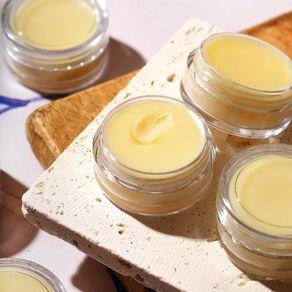 Coco Olive Lip Balm Made with one of our newest bases, this vegan lip balm intensely moisturizes lips with olive oil, coconut oil, and agave extract. SEE MORE
 -
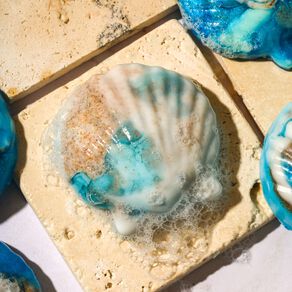 Seashell Soap With notes of lemon, ocean mist, bergamot, and myrtle - this melt and pour recipe has the perfect fresh, citrus-y, beachy scent! SEE MORE
 -
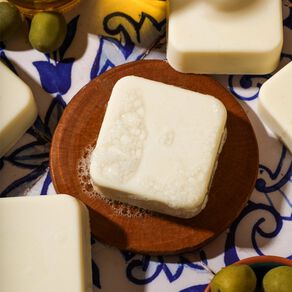 Classic Castile Soap Made with 100% olive oil, this cold process recipe is extremely gentle and perfect for sensitive or dry skin. SEE MORE
 -
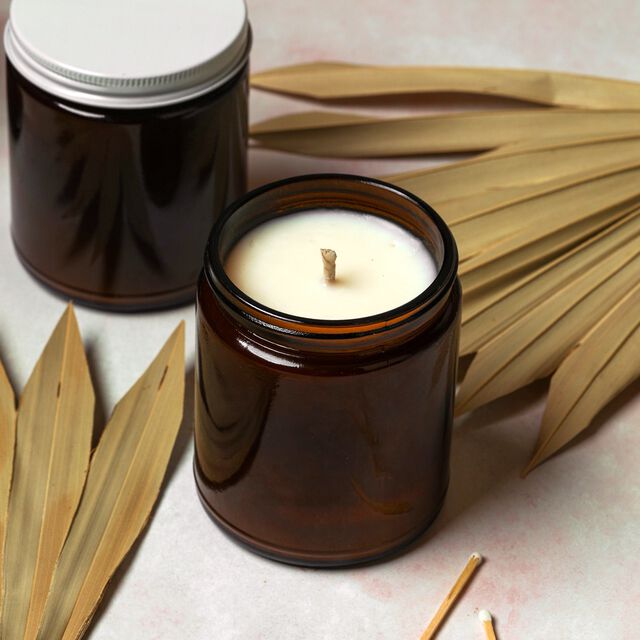 Driftwood and Amber Candle With notes of aloe blossom, amber, sandalwood, and heliotrope, these candles bring a fresh yet warm scent to any room. SEE MORE
Fragrance Calculator
Get usage rates for soap, lotion, candles, and more. Click here for our Lye Calculator.
- V001331|After the Rain Fragrance Oil
- V001611|Agave Bloom Fragrance Oil
- V000155|Almond Biscotti Fragrance Oil
- V000180|Almond Fragrance Oil
- V000223|Alpine Frost Fragrance Oil
- V000170|Amber Fragrance Oil
- V000066|Anise Essential Oil
- V001517|Apple Bourbon Fragrance Oil
- V000298|Apple Sage Fragrance Oil
- V000372|Apricot Freesia Fragrance Oil
- V000267|Autumn Fig Harvest Fragrance Oil
- V000246|Baby Powder Fragrance Oil
- V000218|Baby's Breath Fragrance Oil
- V001287|Backwoods Hike Fragrance Oil
- V001364|Bali Breeze Fragrance Oil
- V000181|Bergamot Black Tea Fragrance Oil
- V000069|Bergamot Pure Essential Oil
- V001576|Berry Blossom Fragrance Oil
- V001399|Bewitched Orchid Fragrance Oil
- V000224|Birchwood Oud Fragrance Oil
- V000229|Black Amber And Lavender Fragrance Oil
- V000324|Black Raspberry Vanilla Fragrance Oil
- V001514|Black Spruce and Anise Fragrance Oil
- V000192|Blackberry Sage Fragrance Oil
- V000332|Blue Man Fragrance Oil
- V000295|Blueberry Jam Fragrance Oil
- V000179|Blueberry Thyme Fragrance Oil
- V001286|Bonfire Fragrance Oil
- V001150|Bramble Berry Fragrance Oil
- V000313|Bramble Berry's Black Opium Type Fragrance Oil
- V000291|Bramble Berry's Fierce Type Fragrance Oil
- V000281|Bramble Berry's Made to Measure Type Fragrance Oil
- V000359|Cactus Flower Fragrance Oil
- V001385|Caffe Latte Fragrance Oil
- V001578|Camellia Sugar Fragrance Oil
- V001235|Candied Citrus Fragrance Oil
- V001179|Candy Cane Fragrance Oil
- V001609|Cannabis Cashmere Fragrance Oil
- V001515|Cardamom and Cedar Fragrance Oil
- V000222|Cashmere Fragrance Oil
- V000309|Cedar and Amber Fragrance Oil
- V000312|Cedar And Saffron Fragrance Oil
- V000100|Cedarwood Atlas Essential Oil
- V000084|Cedarwood Essential Oil
- V000057|Chamomile, Roman Essential Oil
- V000228|Champagne Fragrance Oil
- V000314|Cherry Almond Fragrance Oil
- V000337|Cherry Blossom Fragrance Oil
- V000363|Christmas Forest Fragrance Oil
- V000165|Christmas Spice Fragrance Oil
- V000221|Cinnamon Cocoa Fragrance Oil
- V000077|Cinnamon Leaf Essential Oil
- V000237|Cinnamon Sugar Fragrance Oil
- V000083|Citronella Essential Oil
- V000061|Clary Sage Essential Oil
- V000081|Clove Leaf Essential Oil
- V000292|Clover and Aloe Fragrance Oil
- V000196|Coastal Rain Fragrance Oil
- V000308|Cocoa Butter Cashmere Fragrance Oil
- V000391|Coconut Citrus Sorbet Fragrance Oil
- V000269|Coconut Cream Fragrance Oil
- V000167|Coconut Lemongrass Fragrance Oil
- V000274|Coconut Mango Fragrance Oil
- V001362|Coconut Paradise Fragrance Oil
- V001384|Coffee Shop Fragrance Oil
- V000296|Cotton Candy Fragrance Oil
- V001313|Cranberry Cocktail Fragrance Oil
- V000373|Cranberry Fig Fragrance Oil
- V000333|Cranberry Pomegranate Fragrance Oil
- V000247|Crisp Anjou Pear Fragrance Oil
- V000248|Crisp Apple Rose Fragrance Oil
- V000278|Crisp Cotton Fragrance Oil
- V000352|Cucumber Melon Candle and Soap Fragrance Oil
- V001140|Dark Crystal Fragrance Oil
- V000169|Dark Rich Chocolate Fragrance Oil
- V001386|Dark Roast Coffee Fragrance Oil
- V001323|Dewy Rose Fragrance Oil
- V000254|DISCONTINUED - Amazon Lily and Rain Fragrance Oil
- V000078|DISCONTINUED - Balsam Peru Essential Oil
- V000351|DISCONTINUED - Berrywine Fragrance Oil
- V000311|DISCONTINUED - Black Tea Fragrance Oil
- V000206|DISCONTINUED - Blushing Orchid Fragrance Oil
- V000261|DISCONTINUED - Burnt Sugar Fragrance Oil
- V001254|DISCONTINUED - Clarity Fragrance Oil
- V000138|DISCONTINUED - Coconut Flavor Oil
- V000251|DISCONTINUED - Cold Water Fragrance Oil
- V000151|DISCONTINUED - Cucumber Garden Fragrance Oil
- V000131|DISCONTINUED - Cucumber Melon Flavor Oil
- V001236|DISCONTINUED - Dark Chocolate Orange Fragrance Oil
- V000389|DISCONTINUED - Fresh Mango Fragrance Oil
- V001314|DISCONTINUED - Gold Glimmer Fragrance Oil
- V000282|DISCONTINUED - Green Fig Fragrance Oil
- V000385|DISCONTINUED - Herbal Essence Fragrance Oil
- V000386|DISCONTINUED - Holiday Candy Fragrance Oil
- V000194|DISCONTINUED - Honeydew Melon Fragrance Oil
- V000382|DISCONTINUED - Juniper Sage Fragrance Oil
- V001113|DISCONTINUED - Lemon Drop Flavor Oil
- V001180|DISCONTINUED - Maple Pecan Fragrance Oil
- V000227|DISCONTINUED - Neroli Fragrance Oil
- V000362|DISCONTINUED - Ocean Rain Fragrance Oil
- V000073|DISCONTINUED - Orange Valencia Essential Oil
- V000099|DISCONTINUED - Palmarosa Essential Oil
- V001114|DISCONTINUED - Peach Bellini Flavor Oil
- V000277|DISCONTINUED - Pumpkin and Brown Sugar Fragrance Oil
- V000219|DISCONTINUED - Rain Fragrance Oil
- V000178|DISCONTINUED - Spiced Red Tea Fragrance Oil
- V000205|DISCONTINUED - Turquoise Fragrance Oil
- V001284|DISCONTINUED - Verdant Woods Fragrance Oil
- V000203|DISCONTINUED - White Ginger and Amber Fragrance Oil
- V000275|DISCONTINUED - White Rose Fragrance Oil
- V000079|DISCONTINUED - White Thyme Essential Oil
- V000173|Dragon's Blood Fragrance Oil
- V000387|Drakkar Type Fragrance Oil
- V001332|Driftwood and Amber Fragrance Oil
- V000072|Egyptian Geranium Essential Oil
- V001793|Elderberry and Evergreen Fragrance Oil
- V001018|Emerald Agave Fragrance Oil
- V000150|Energy Fragrance Oil
- V000149|English Rose Fragrance Oil
- V000260|Espresso Fragrance Oil
- V001292|Eucalyptus and Cotton Fragrance Oil
- V000056|Eucalyptus Essential Oil
- V001128|Evergreen Forest Fragrance Oil
- V001267|Fairy Tale Rose Fragrance Oil
- V000064|Fir Needle Essential Oil
- V001505|Forest Oud and Balsam Fragrance Oil
- V000177|Frankincense And Myrrh Fragrance Oil
- V000104|Frankincense Essential Oil
- V000330|Fresh Bamboo Fragrance Oil
- V000242|Fresh Snow Fragrance Oil
- V001312|Frosted Fir Fragrance Oil
- V001333|Frosted Sea Glass Fragrance Oil
- V001137|Galactic Skies Fragrance Oil
- V001470|Garden Party Fragrance Oil
- V000369|Gardenia Fragrance Oil
- V001575|Gardenia Peach Fragrance Oil
- V000344|Ginger Ale Fragrance Oil
- V000068|Ginger Essential Oil
- V000276|Ginger Patchouli Fragrance Oil
- V001182|Gingerbread Cookie Fragrance Oil
- V001293|Golden Oats Fragrance Oil
- V000273|Grapefruit Bellini Fragrance Oil
- V000063|Grapefruit Essential Oil
- V000250|Green Tea and Cucumber Fragrance Oil
- V001015|Greenhouse Fragrance Oil
- V000268|Heavenly Honeysuckle Fragrance Oil
- V001503|Hibiscus and Honey Fragrance Oil
- V001285|Hickory and Suede Fragrance Oil
- V000316|Honeysuckle Fragrance Oil
- V000086|Hungarian Lavender Essential Oil
- V000171|Island Coconut Fragrance Oil
- V000280|Island Escape Fragrance Oil
- V001869|Italian Limoncello Fragrance Oil
- V000300|Jasmine Dreams Fragrance Oil
- V000102|Jasmine Sambac Absolute
- V001361|Juicy Papaya Mango Fragrance Oil
- V001504|Jungle Waterfall Fragrance Oil
- V000085|Juniper Berry Essential Oil
- V000243|Kentish Rain Fragrance Oil
- V000164|Kentucky Bourbon Fragrance Oil
- V000090|Lavender 40/42 Essential Oil
- V000266|Lavender and Cedar Fragrance Oil
- V000315|Lavender Bloom Fragrance Oil
- V000345|Lavender Chamomile Huggies Type Fragrance Oil
- V000238|Lavender Fragrance Oil
- V001112|Lavender Lemonade Flavor Oil
- V000331|Leather Fragrance Oil
- V001237|Lemon Bar Fragrance Oil
- V000075|Lemon Essential Oil
- V000097|Lemon Eucalyptus Essential Oil
- V000226|Lemon Verbena Yankee Type Fragrance Oil
- V001468|Lemonade Stand Fragrance Oil
- V000060|Lemongrass Essential Oil
- V000207|Lilac Fragrance Oil
- V001234|Lily Lemon Drop Fragrance Oil
- V000185|Lily of the Valley Fragrance Oil
- V000076|Lime Distilled Essential Oil
- V000376|Lime Fragrance Oil
- V000220|Lingonberry Spice Fragrance Oil
- V000139|Lip Smacking Sweet Flavor Oil
- V000062|Litsea Essential Oil
- V001325|Love Letter Fragrance Oil
- V000321|LoveSpell Type Fragrance Oil
- V001017|Lush Succulent Fragrance Oil
- V000244|Lychee Red Tea Fragrance Oil
- V001294|Magnolia Leaf and Tonka Fragrance Oil
- V000264|Mahogany Fragrance Oil
- V000310|Mango Mango Fragrance Oil
- V001795|Maple Almond Fragrance Oil
- V001741|Marigold and Melon Fragrance Oil
- V000184|Midnight Waters Fragrance Oil
- V000353|Milk and Honey Candle and Soap Fragrance Oil
- V001139|Moon Child Fragrance Oil
- V000245|Moonlight Pomegranate Fragrance Oil
- V000366|Moroccan Mint Fragrance Oil
- V000153|Nag Champa Fragrance Oil
- V001434|Natural Apple Orchard Fragrance Oil
- V001443|Natural Bergamot and Nectarine Fragrance Oil
- V001440|Natural Cedar and Oakmoss Fragrance Oil
- V001592|Natural Citrus and Sage Fragrance Oil
- V001590|Natural Classic Rose Fragrance Oil
- V001441|Natural Coconut Milk Fragrance Oil
- V001588|Natural Coconut Rose Fragrance Oil
- V001438|Natural Cucumber Waters Fragrance Oil
- V001439|Natural Geranium and Sandalwood Fragrance Oil
- V001587|Natural Juicy Pear Fragrance Oil
- V001437|Natural Lavender and Green Tea Fragrance Oil
- V001589|Natural Lemongrass and Coconut Fragrance Oil
- V001591|Natural Lychee Pineapple Fragrance Oil
- V001444|Natural Mineral Springs Fragrance Oil
- V001436|Natural Peach Mango Fragrance Oil
- V001442|Natural Raspberry and Sweet Pea Fragrance Oil
- V001435|Natural Rosewood and Citrus Fragrance Oil
- V001433|Natural Vanilla and Tonka Fragrance Oil
- V000259|Neroli and Shea Blossom Fragrance Oil
- V001138|Night Violet Fragrance Oil
- V000371|Oatmeal Milk and Honey Fragrance Oil
- V000335|Oatmeal Stout Fragrance Oil
- V001129|Ocean Shores Fragrance Oil
- V001868|Olive Wood and Cypress Fragrance Oil
- V000091|Orange 10X Essential Oil
- V000350|Orange Blossom Candle and Soap Fragrance Oil
- V000208|Orange Peel Fragrance Oil
- V001132|Pacific Trail Fragrance Oil
- V001412|Palo Santo and Mahogany Fragrance Oil
- V000234|Passionfruit Rose Fragrance and Flavor Oil
- V000070|Patchouli Essential Oil
- V000163|Patchouli Fragrance Oil
- V001359|Peaceful Lavender Fragrance Oil
- V001102|Peach Prosecco Fragrance Oil
- V001794|Pear Prosecco Fragrance Oil
- V001322|Peony and Amberwood Fragrance Oil
- V000065|Peppermint Essential Oil - 1st Distill
- V000082|Peppermint Essential Oil - 2nd Distill
- V000161|Pineapple Cilantro Fragrance Oil
- V000140|Pineapple Flavor Oil
- V000304|Pineapple Papaya Fragrance Oil
- V000340|Pink Grapefruit Fragrance Oil
- V001324|Pink Mimosa Fragrance Oil
- V001103|Pink Peony Fragrance Oil
- V000302|Plumeria Fragrance Oil
- V000354|Pumpkin Pie Candle and Soap Fragrance Oil
- V001397|Pumpkin Sandalwood Fragrance Oil
- V000263|Pumpkin Souffle Fragrance Oil
- V000361|Pumpkin Spice Fragrance Oil
- V000283|Pure Honey Fragrance Oil
- V001577|Radiant Orchid Fragrance Oil
- V000152|Raspberry Jam Fragrance Oil
- V001145|Raw Honeycomb Fragrance Oil
- V001351|Ray of Sunshine Fragrance Oil
- V000334|Red Apple Fragrance Oil
- V000285|Rejuvenating Eucalyptus Fragrance Oil
- V000368|Relaxing Fragrance Oil
- V000095|Rose Absolute
- V001101|Rose Gold Fragrance Oil
- V000342|Rose Quartz Fragrance Oil
- V000374|Rosehip Jasmine Fragrance Oil
- V000055|Rosemary Essential Oil
- V000289|Rustic Woods and Rum Fragrance Oil
- V001608|Saffron and Oud Fragrance Oil
- V000080|Sage - Dalmatian Essential Oil
- V000217|Sage and Lemongrass Fragrance Oil
- V000094|Sandalwood Essential Oil
- V000175|Sandalwood Vanilla Fragrance Oil
- V000156|Santa's Spruce Fragrance Oil
- V000147|Scotch Whisky Fragrance Oil
- V001744|Sea Lily and Lime Fragrance Oil
- V000348|Sea Moss Fragrance Oil
- V001330|Sea Salt and Lily Fragrance Oil
- V000168|Sea Salt Fragrance Oil
- V001269|Secret Garden Fragrance Oil
- V000172|Sensuous Sandalwood Fragrance Oil
- V001252|Serenity Fragrance Oil
- V000252|Shave and a Haircut Fragrance Oil
- V001867|Sicilian Sea Breeze Fragrance Oil
- V001311|Silver Sparkle Fragrance Oil
- V000365|Sleigh Ride Fragrance Oil
- V001610|Smoked Tonka and Oud Fragrance Oil
- V000271|Southern Peach Fragrance Oil
- V001743|Sparkling Apple Blossom Fragrance Oil
- V000059|Spearmint Essential Oil
- V000388|Spearmint Eucalyptus Fragrance Oil
- V000233|Spiced Mahogany Fragrance Oil
- V000146|Strawberry Fragrance Oil
- V001516|Sugar and Spice Fragrance Oil
- V000240|Sugar Plum Fairy Fragrance Oil
- V000341|Sultry Black Jasmine Fragrance Oil
- V001353|Sunflower Sandalwood Fragrance Oil
- V001233|Sunshine Poppies Fragrance Oil
- V001387|Sweet Cardamom Chai Fragrance Oil
- V000336|Sweet Meyer Lemon Fragrance Oil
- V001363|Sweet Nectar and Hibiscus Fragrance Oil
- V000074|Tangerine Essential Oil
- V000105|Tea Tree Essential Oil
- V000258|Tobacco and Bay Leaf Fragrance Oil
- V001866|Tuscan Juniper and Myrtle Fragrance Oil
- V001398|Twilight Tea and Amber Fragrance Oil
- V001181|Vanilla Apple Cinnamon Fragrance Oil
- V000364|Vanilla Bean Fragrance Oil
- V001115|Vanilla Mint Flavor Oil
- V000327|Vanilla Oak Fragrance Oil
- V000188|Vanilla Select Fragrance Oil
- V000339|Vanilla, Tahitian Fragrance Oil
- V000157|Vetyver Type Fragrance Oil
- V001396|Violet Moondance Fragrance Oil
- V000287|Warm Flannel Fragrance Oil
- V000199|Warm Vanilla Sugar Fragrance Oil
- V001467|Watermelon Sugar Fragrance Oil
- V001016|White Lily and Aloe Fragrance Oil
- V000390|White Tea and Ginger Fragrance Oil
- V001792|Wild Cranberry and Aspen Fragrance Oil
- V001742|Wild Heather and Thyme Fragrance Oil
- V000216|Wild Rose Fragrance Oil
- V001352|Wildflower Breeze Fragrance Oil
- V000256|Wildflower Honey Fragrance Oil
- V001266|Willow and Ivy Fragrance Oil
- V000329|Woodland Elves Fragrance Oil
- V000087|Ylang Ylang III Essential Oil
- V000210|Yuzu Fragrance Oil
Click "next" to finish the calculation on another page.
Lye Calculator
Easily formulate recipes for cold process soap, hot process soap, and more. Click here for our Fragrance Calculator.
oz
g
Featured Products
-
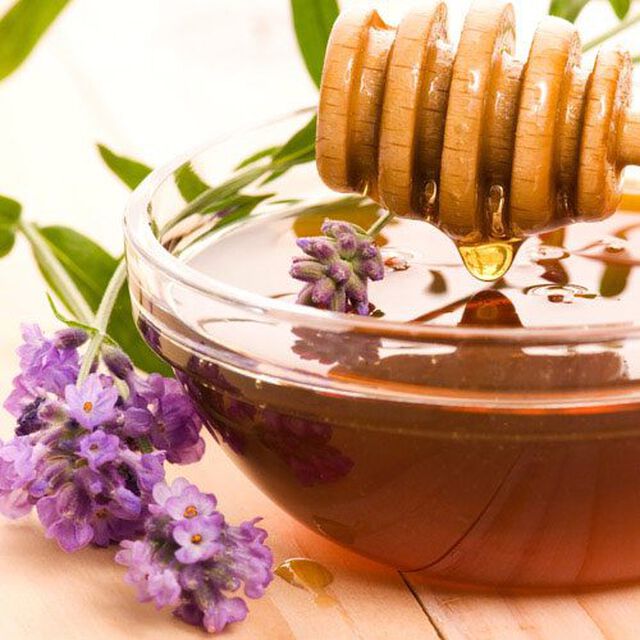 Wildflower Honey Fragrance The perfect addition to your handmade soap, scrub, and bath salts. SHOP NOW
 -
-
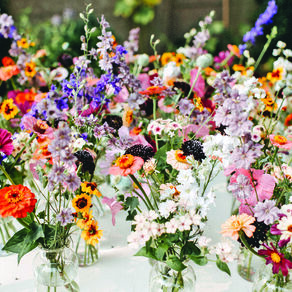
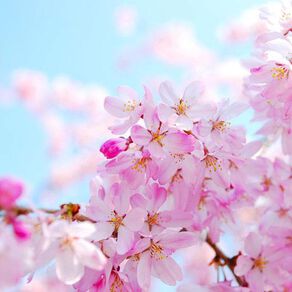 Cherry Blossom Fragrance This delicate mix of florals will be your new favorite in no time! SHOP NOW
 -
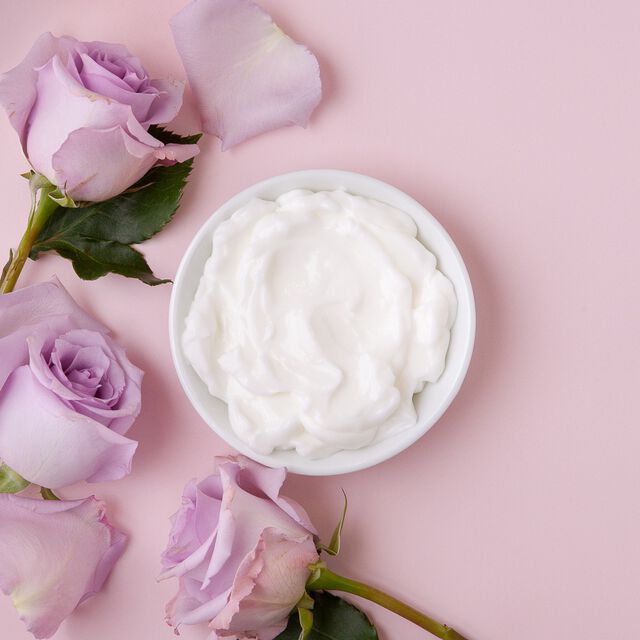 Rosehip Lotion Base Made with skin-loving ingredients like grapeseed oil, rose water, and rose extract. SHOP NOW
 -
-
 Rosehip & Jojoba Lotion Mix If you're ready to try making lotion from scratch, it makes the process easy! SHOP NOW