Buy Now Pay Later

Bramble Berry Buy Now, Pay Later Payment Options
When using mobile wallet payment methods (ApplePay, GooglePay, or Paypal) on brambleberry.com in cart page or checkout page, there are available options in each mobile wallet to Buy Now (purchase and place the order today), but Pay Later (make installment payments against that order total over time, rather than being charged the entire order total today).
Within the app of each mobile wallet payment method, you will see pay later options such as: Affirm, Klarna, AfterPay, LinkZip, PayIn4, etc.
Within the app of each mobile wallet payment method, you will see pay later options such as: Affirm, Klarna, AfterPay, LinkZip, PayIn4, etc.
How To Use - Pay Later with ApplePay
If ApplePay is your preferred method of payment, your apple wallet must be active in the setting of either your iPhone, iPad, or Apple (Macbook) computer, before your visit brambleberry.com from that device.
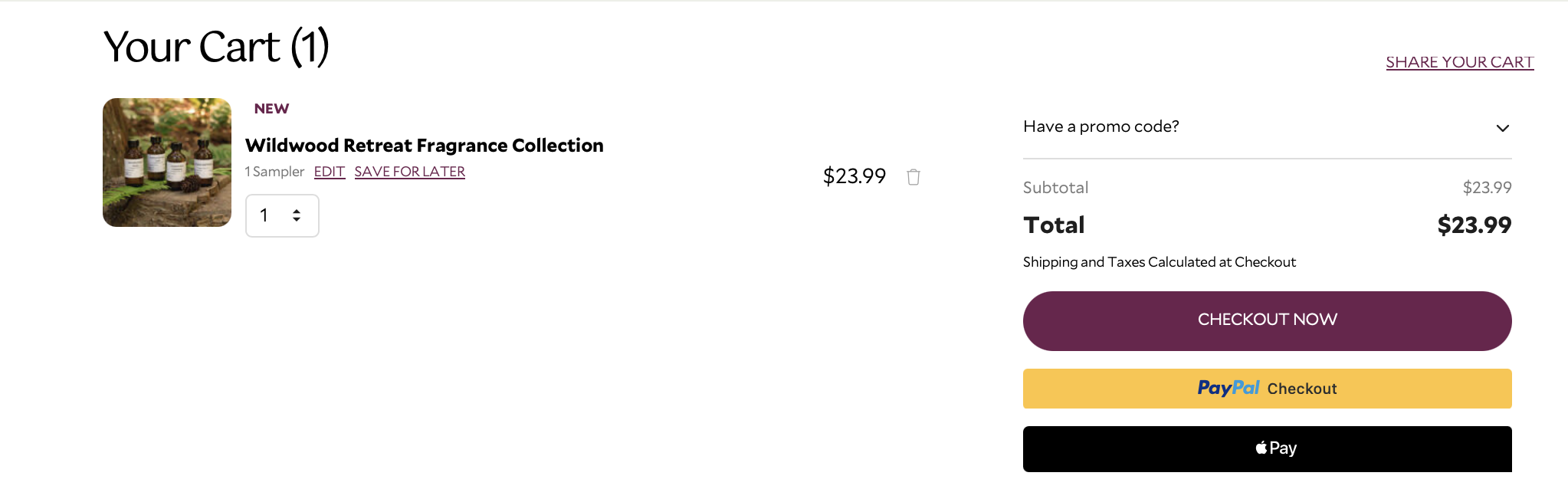
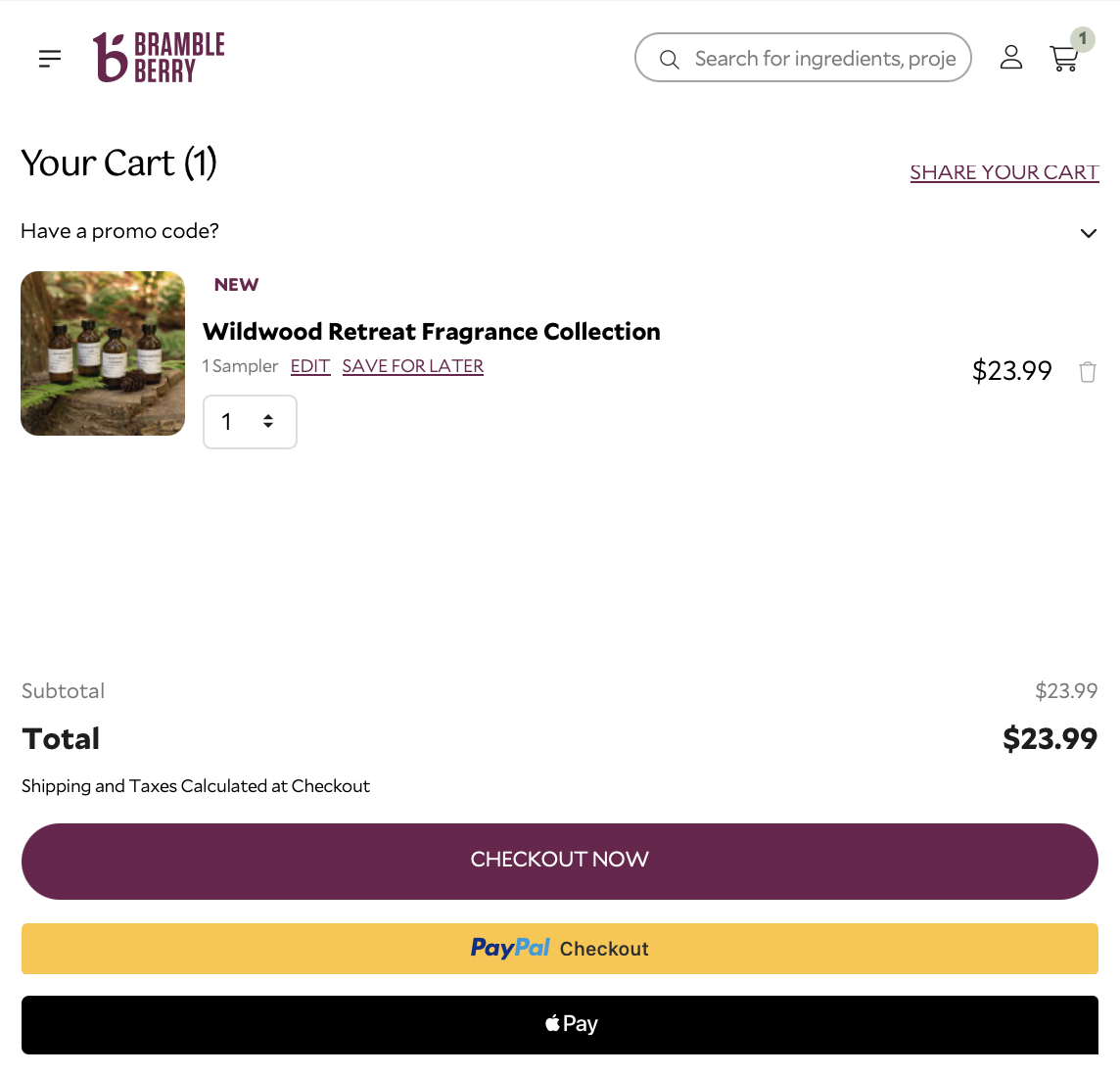
When you land on the brambleberry.com cart page, you should see a black, active ApplePay button below the order total.
.

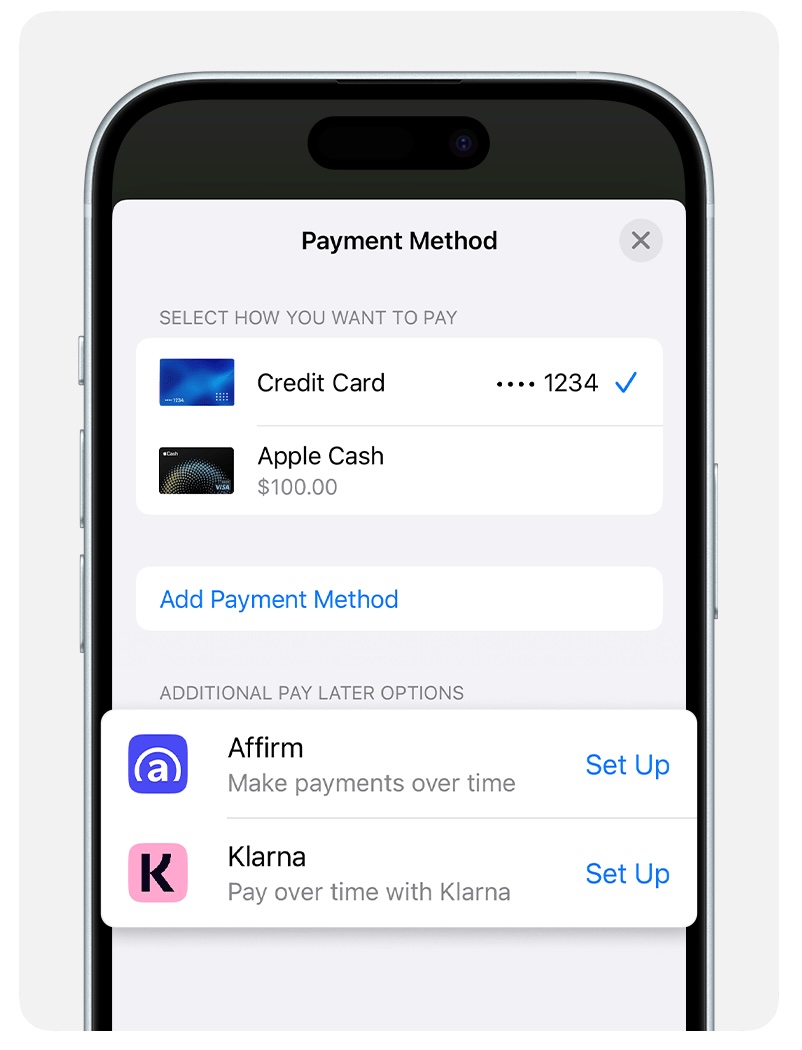
After selecting the ApplePay button, your Apple Wallet will appear as a pop-up. From within that pop-up there will be Pay Later Options to choose from: affirm, klarna, etc.
See terms and conditions: https://support.apple.com/en-us/120477

How To Use - Pay Later with GooglePay
If GooglePay is your preferred method of payment, your google wallet must be active in the settings of either your android mobile device (Samsung, Pixel, etc. Phone or Tablet), or in your gmail/google chrome browser settings, before your visit brambleberry.com from that device.
When you land on the brambleberry.com cart page, you should see an active G Pay or Buy with G Pay button below the order total.
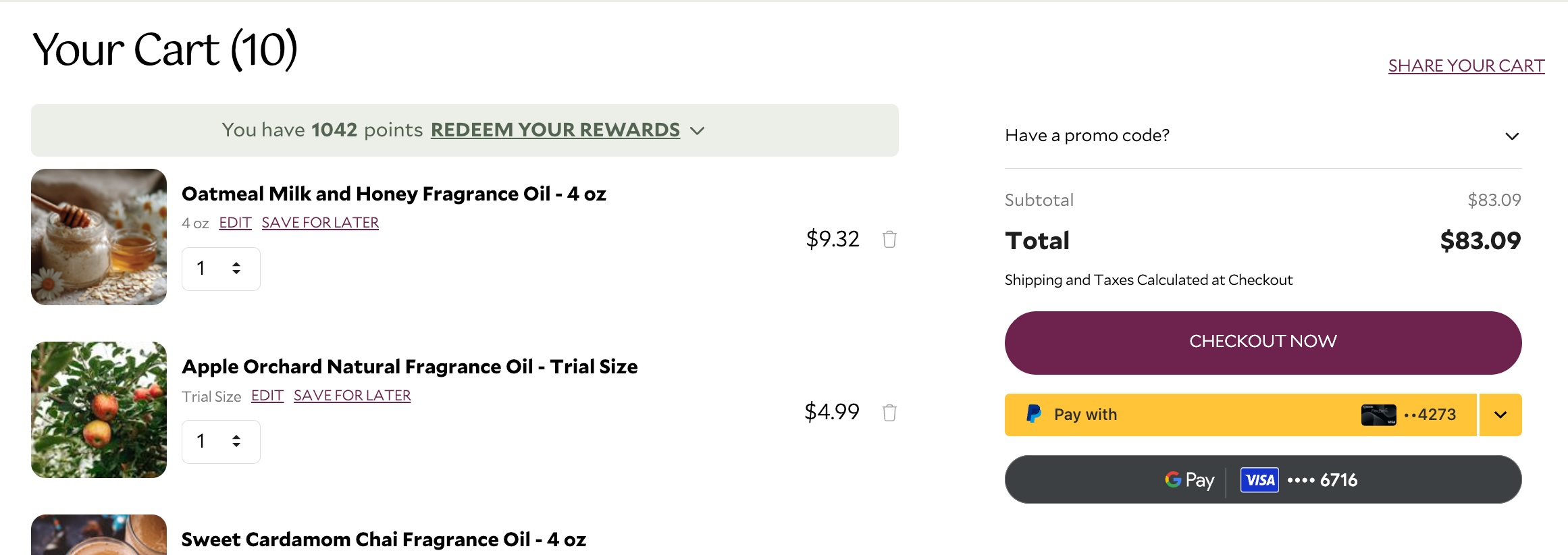
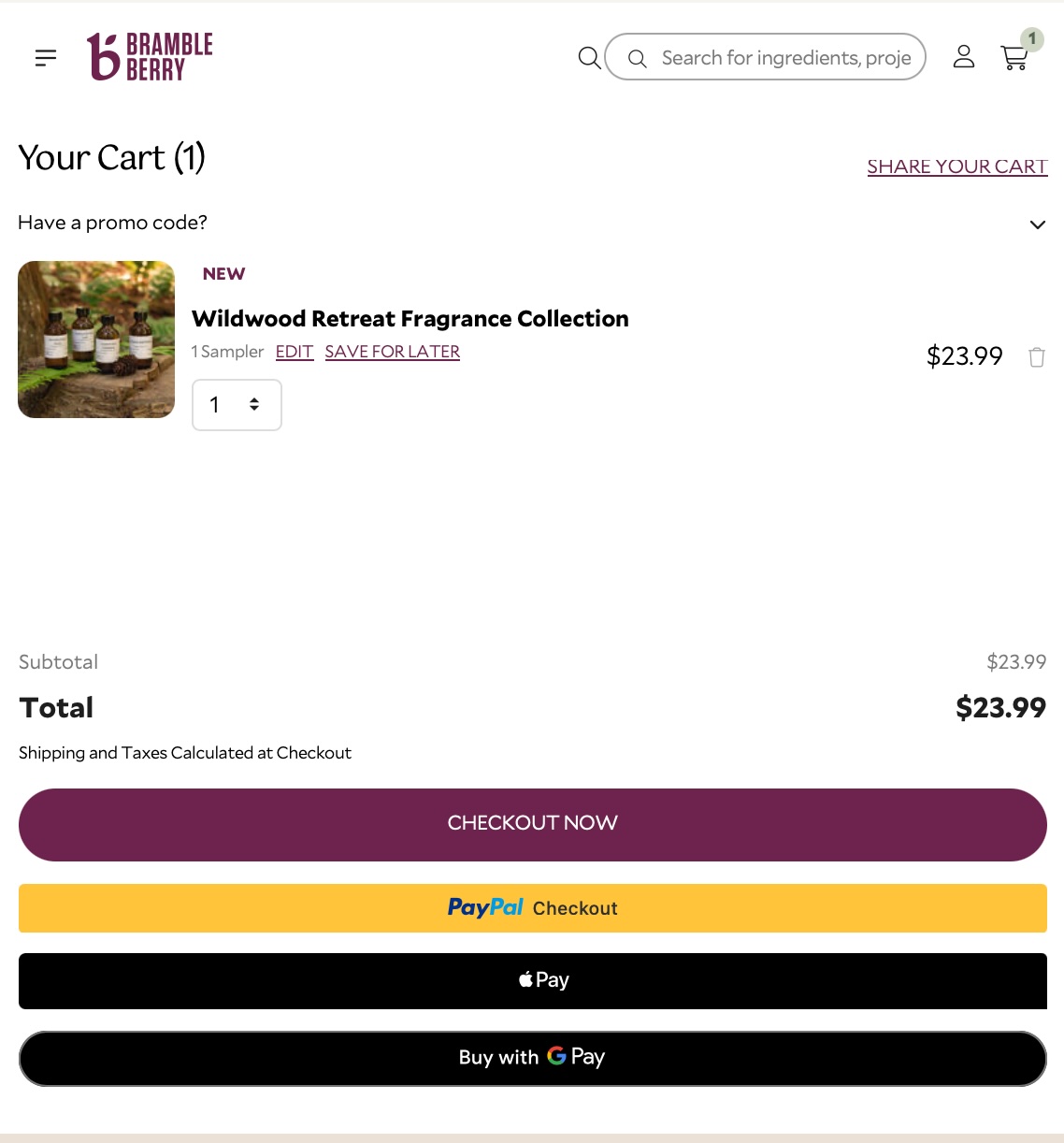 OR when you land on the brambleberry.com checkout page, and click the GooglePay icon in the billing and payments section, you will see the GoogePay button.
.

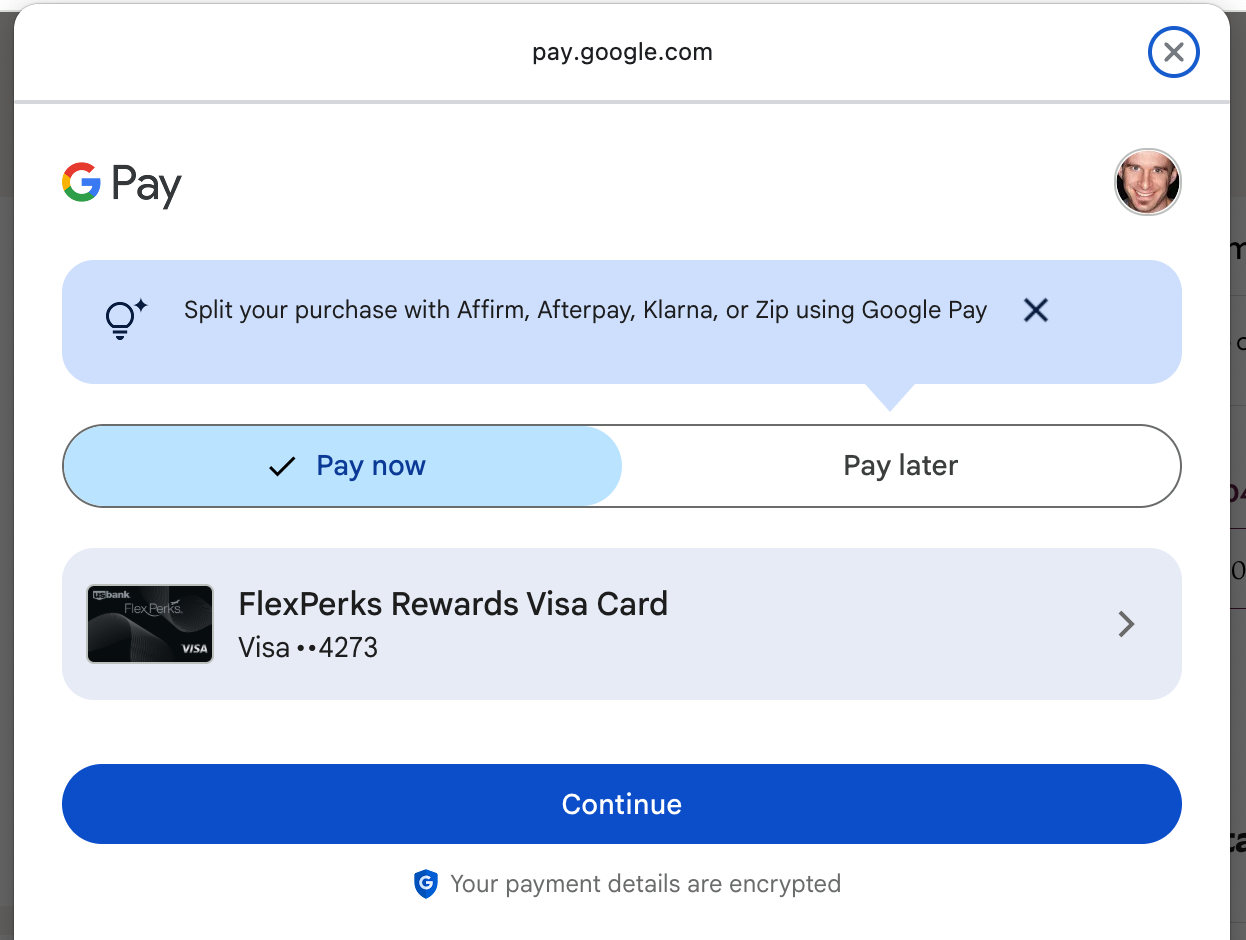
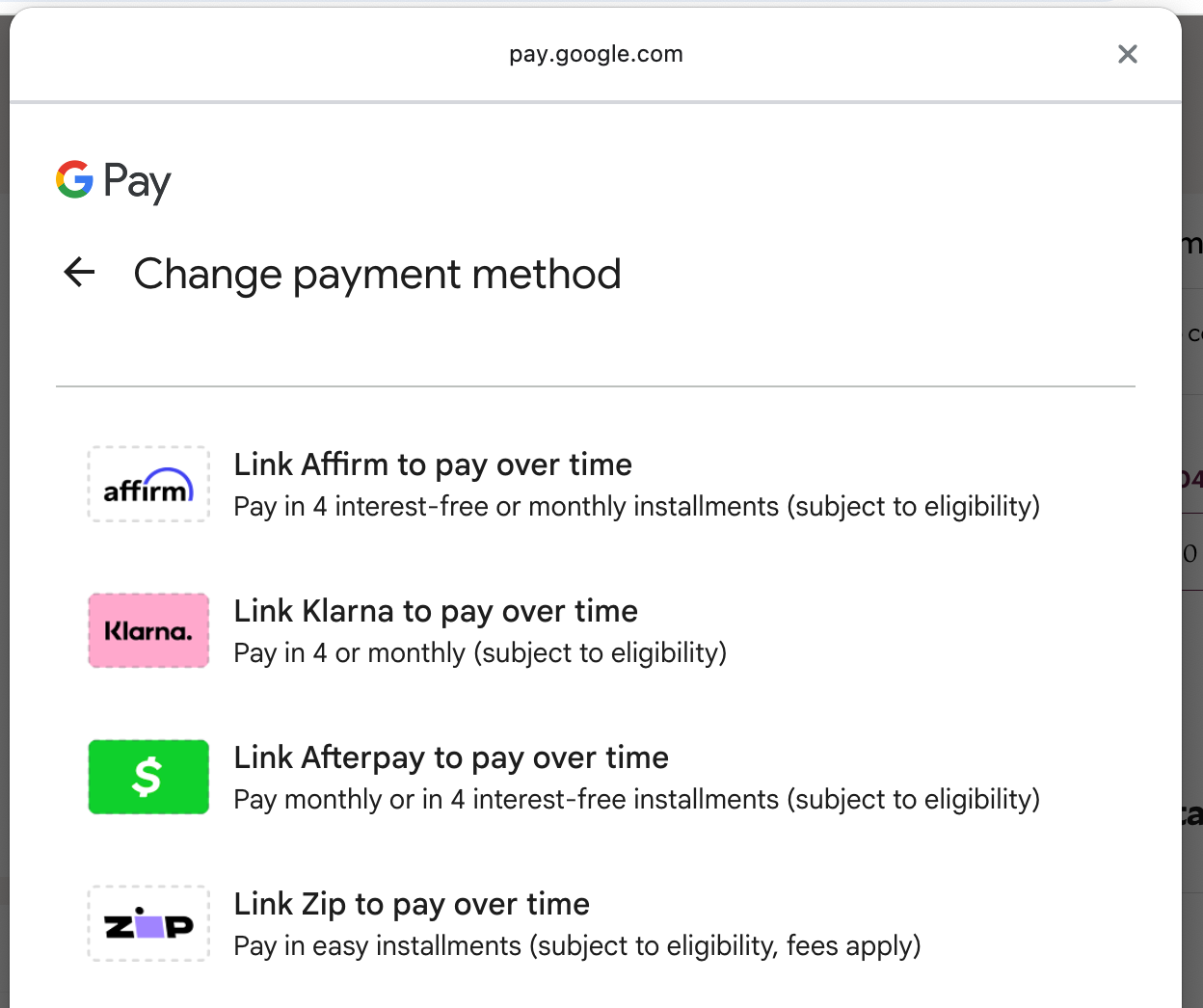
After selecting the G Pay button, GooglePay will appear as a popup. From within that popup select the Pay Later tab option on the left.
Then select which you prefer to use: Affirm, Klarna, Afterpay, or LinkZip.
See Terms & Conditions: https://support.google.com/googlepay/answer/14336825?hl=en#zippy=%2Cwhere-can-i-make-buy-now-pay-later-transactions%2Ccan-i-manage-my-providers-on-google-pay%2Cwhy-am-i-not-eligible-to-use-buy-now- pay-later%2Cwhere-can-i-find-transactions-i-have-completed-using-buy-now-pay-later%2Cwhere-can-i-see-my-payment-plan%2Chow-can-i-get-a-refund%2Cwhy-cant-i-use-buy-now-pay-later-on-my-android-device
When you land on the brambleberry.com cart page, you should see an active G Pay or Buy with G Pay button below the order total.
.
After selecting the G Pay button, GooglePay will appear as a popup. From within that popup select the Pay Later tab option on the left.
Then select which you prefer to use: Affirm, Klarna, Afterpay, or LinkZip.
See Terms & Conditions: https://support.google.com/googlepay/answer/14336825?hl=en#zippy=%2Cwhere-can-i-make-buy-now-pay-later-transactions%2Ccan-i-manage-my-providers-on-google-pay%2Cwhy-am-i-not-eligible-to-use-buy-now- pay-later%2Cwhere-can-i-find-transactions-i-have-completed-using-buy-now-pay-later%2Cwhere-can-i-see-my-payment-plan%2Chow-can-i-get-a-refund%2Cwhy-cant-i-use-buy-now-pay-later-on-my-android-device
How To Use - Pay Later with PayPal
If PayPal is your preferred method of payment, you can fast track by logging into your paypal account before you visit brambleberry.com or login into paypal after you click the paypal button.
When you land on the brambleberry.com cart page, you should see an active Pay with Paypal or Paypal Checkout button below the order total.
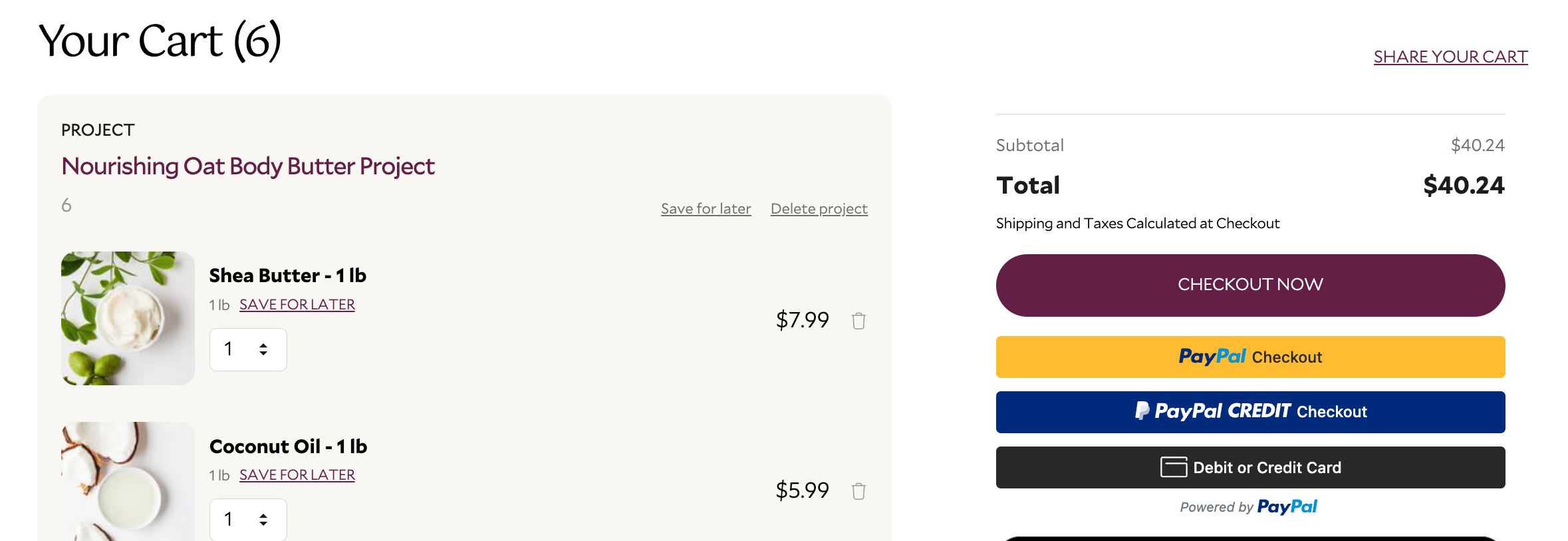
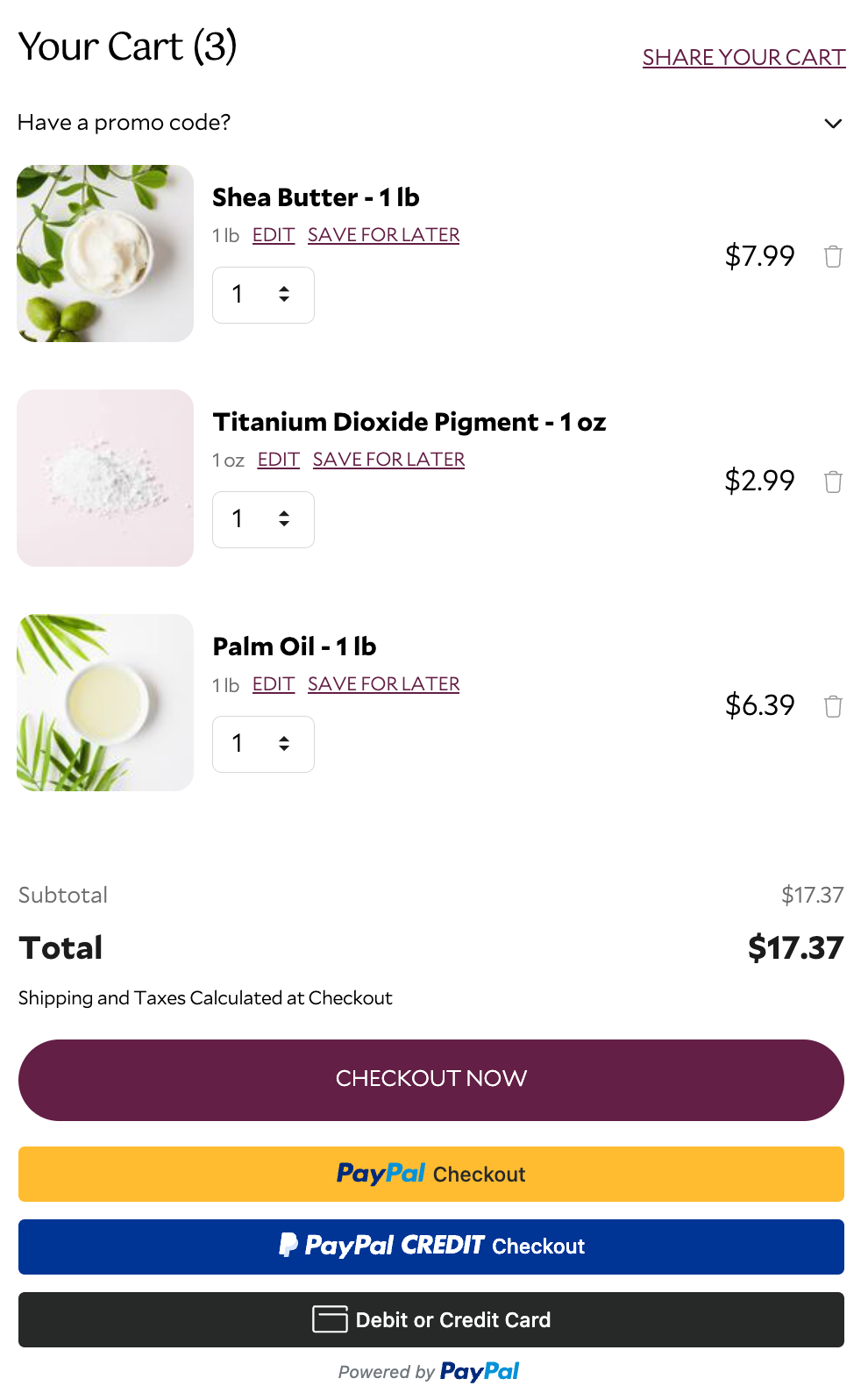 OR when you land on the brambleberry.com checkout page, and click the Pay with Paypal icon, or select pay with a different funding source from within your paypal account.

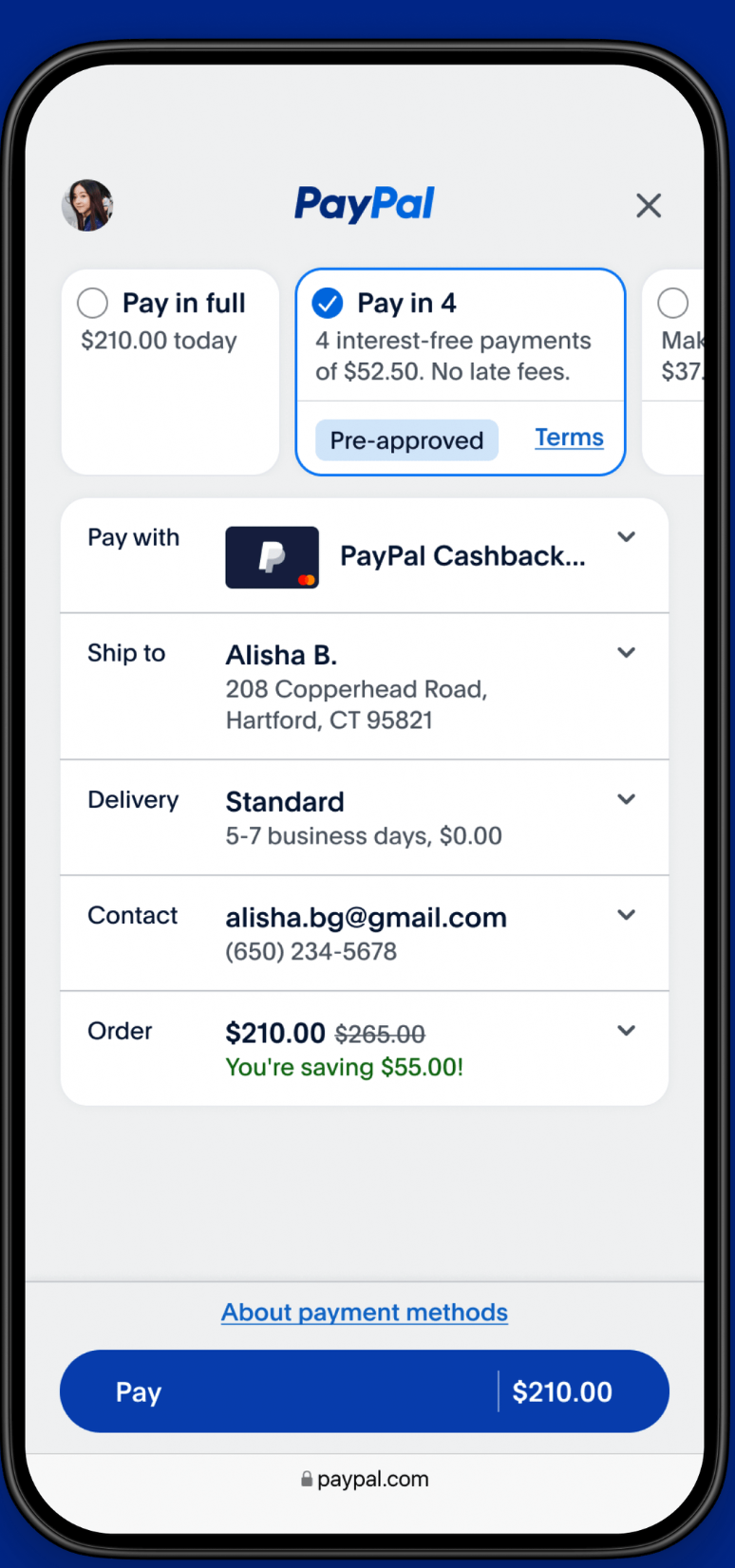
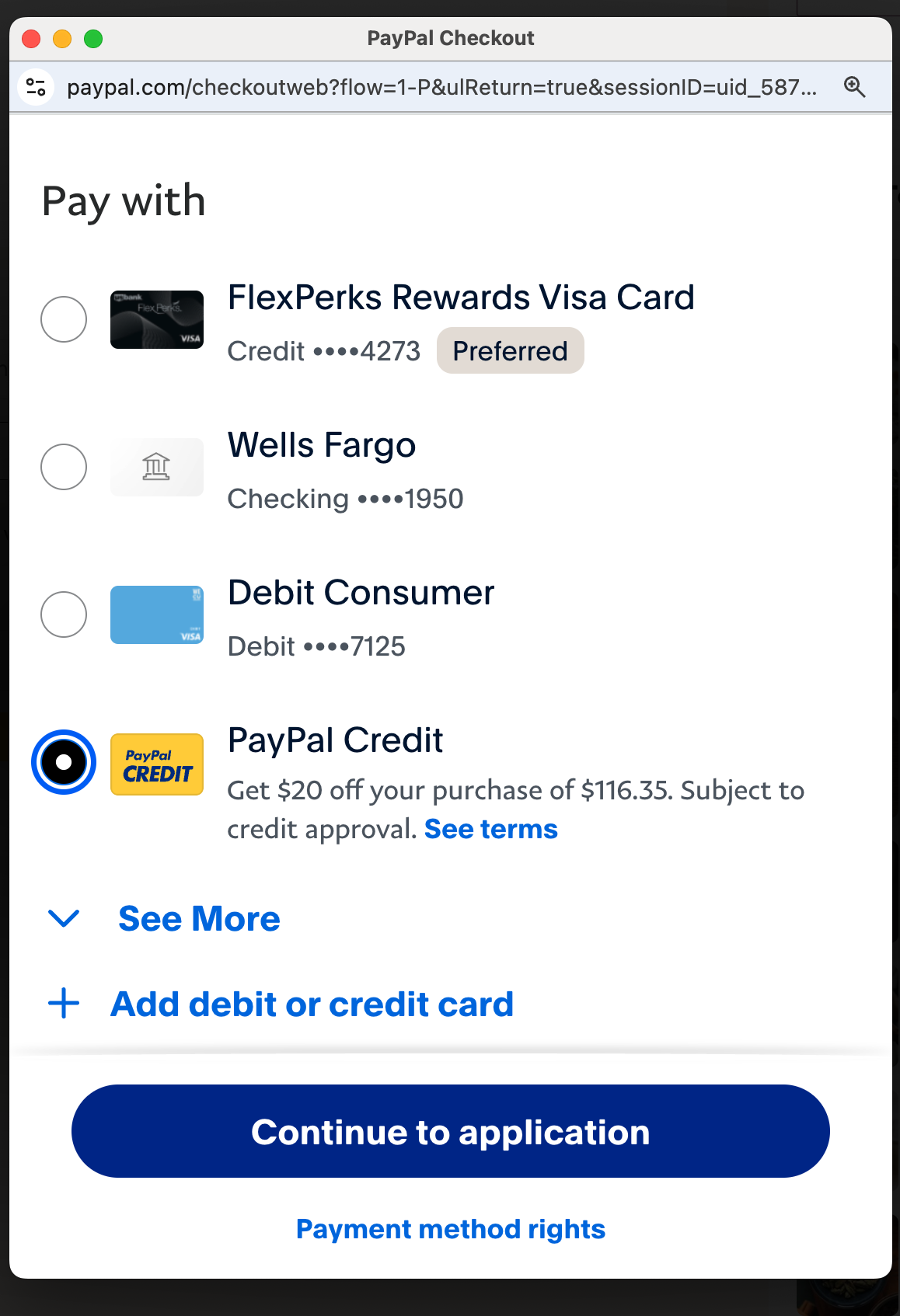
After selecting the PayPal button, your PayPal account will appear as a popup.
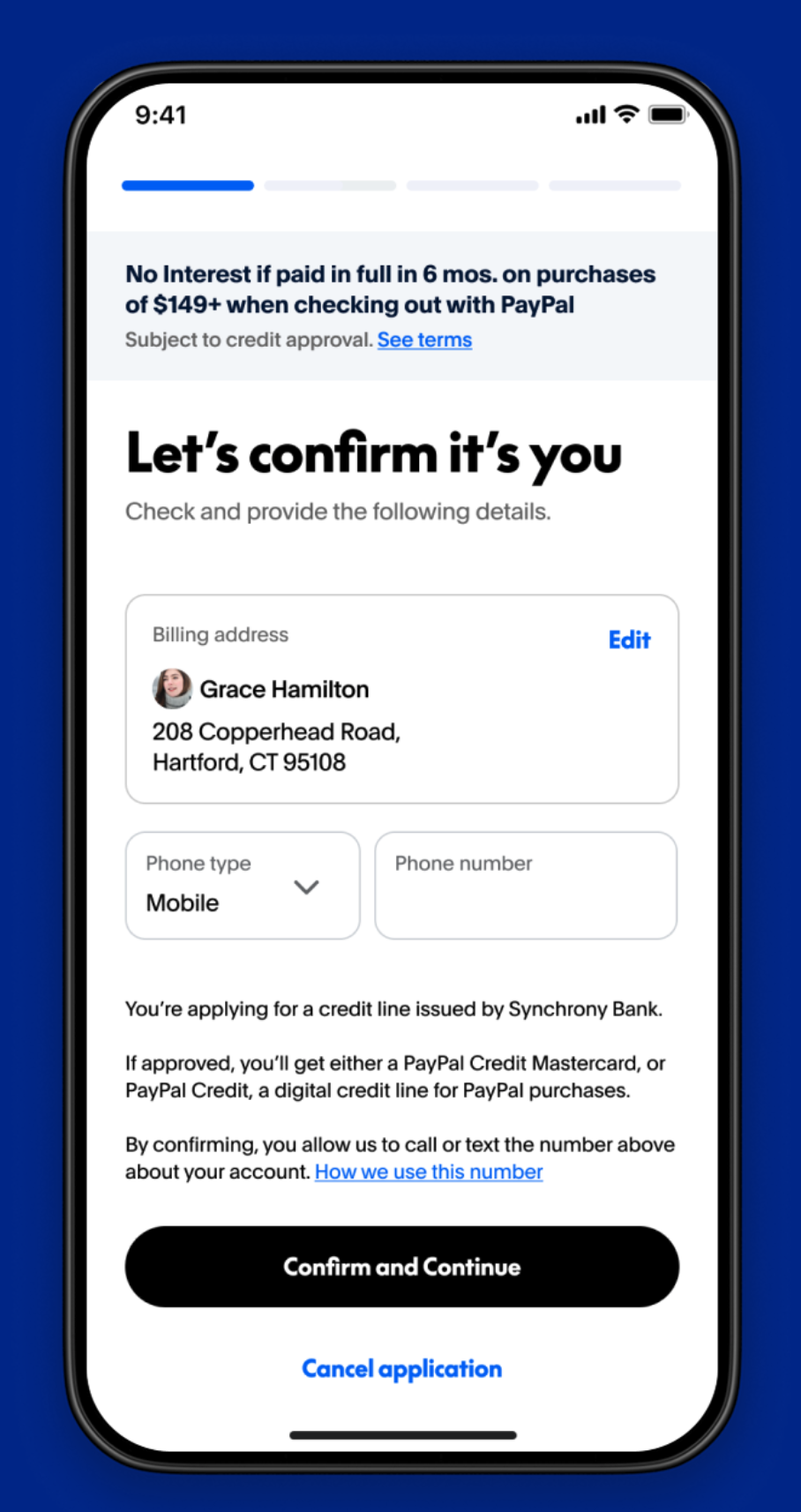
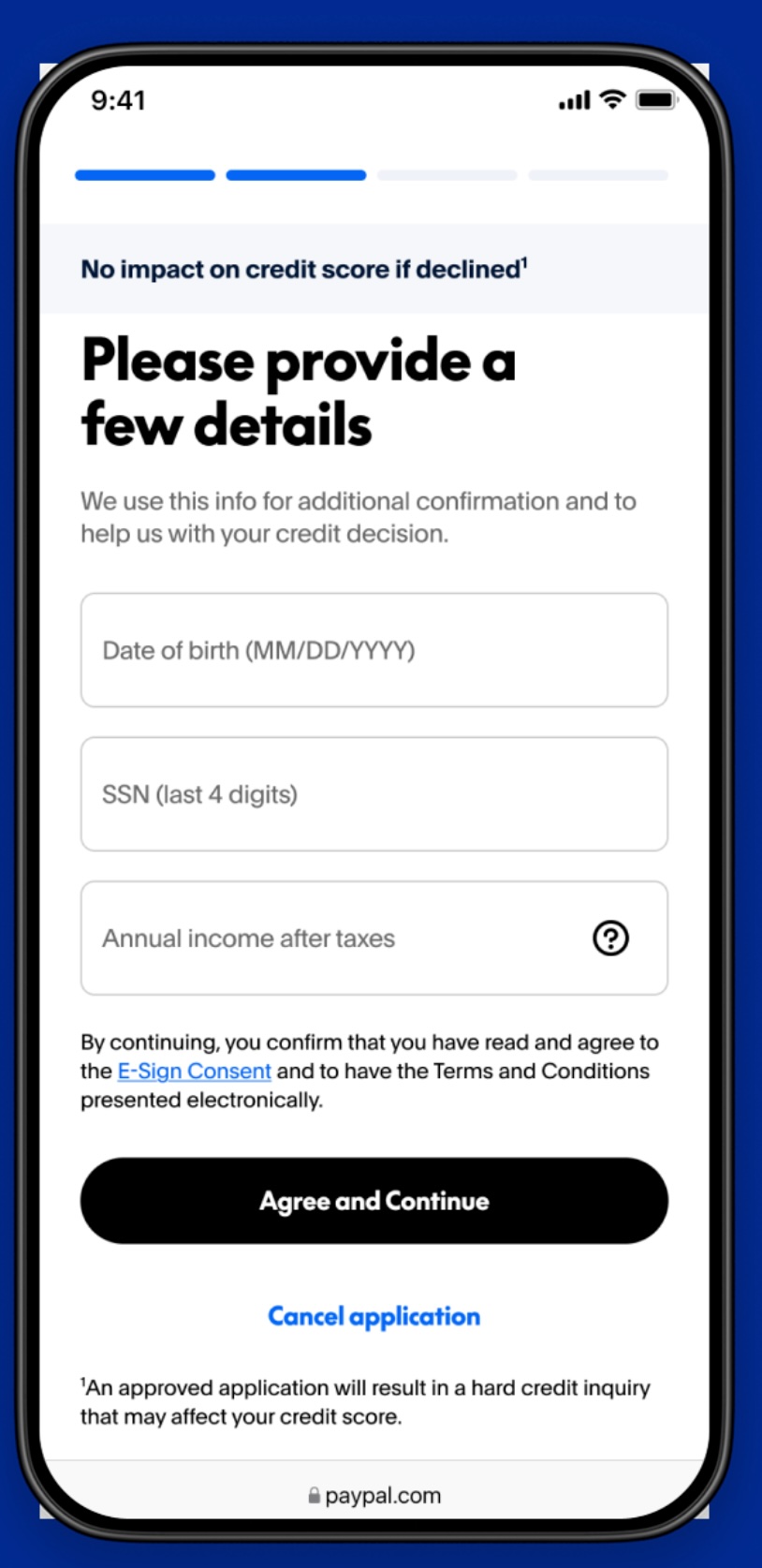
From within that popup a Pay in 4 Option should appear at the top OR a Paypal Credit option should appear at the bottom.
- Pay in 4 is 4 interest-free payments, charged every 2 weeks
- Paypal Credit is monthly payments charged over 3, 6, 12, or 12 monthly payments with interest.
- see terms and conditions https://www.paypal.com/us/digital-wallet/ways-to-pay/buy-now-pay-later
When you land on the brambleberry.com cart page, you should see an active Pay with Paypal or Paypal Checkout button below the order total.
After selecting the PayPal button, your PayPal account will appear as a popup.
From within that popup a Pay in 4 Option should appear at the top OR a Paypal Credit option should appear at the bottom.
- Pay in 4 is 4 interest-free payments, charged every 2 weeks
- Paypal Credit is monthly payments charged over 3, 6, 12, or 12 monthly payments with interest.
- see terms and conditions https://www.paypal.com/us/digital-wallet/ways-to-pay/buy-now-pay-later