How to Use the Bramble Berry Lye Calculator
This post was updated in 2025 with the new Bramble Berry Lye Calculator design.
Customizing soap recipes is one of the many advantages of making products from scratch. There’s a lot of joy in experimenting and finding the perfect combination of ingredients that make your skin feel great. The Lye Calculator makes it easy to do just that.
All you have to do is plug in your oil and superfat numbers and the calculator determines how much liquid and lye you need for the recipe. Learn how to use the calculator below, and find soap making supplies here.
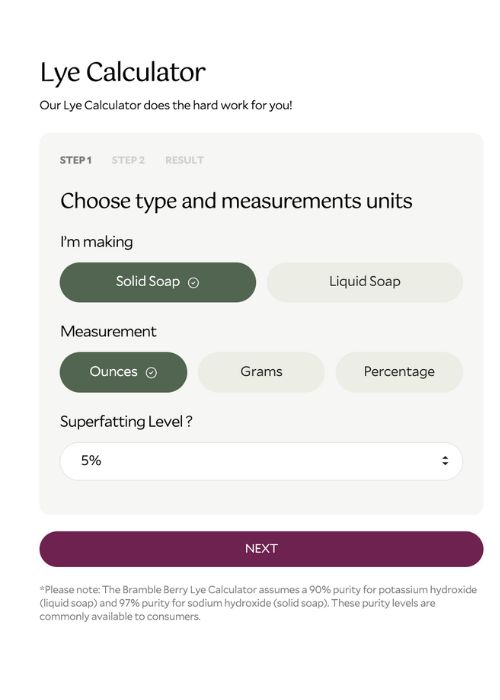
ONE: Choose the type of soap, unit of measurement, and the superfatting level. The superfat level is the amount of leftover oil in your recipe that’s not turned into soap. Essentially, it’s free-floating oil that adds extra luxury to your bars and acts as insurance in case of small measuring mistakes. We typically superfat our recipes at 5% because it adds moisture without making the bars too soft. That’s a good superfat level to use if you’re just getting started. Click “Next.” Note: Liquid soap is made with potassium hydroxide, solid soap is made with sodium hydroxide.
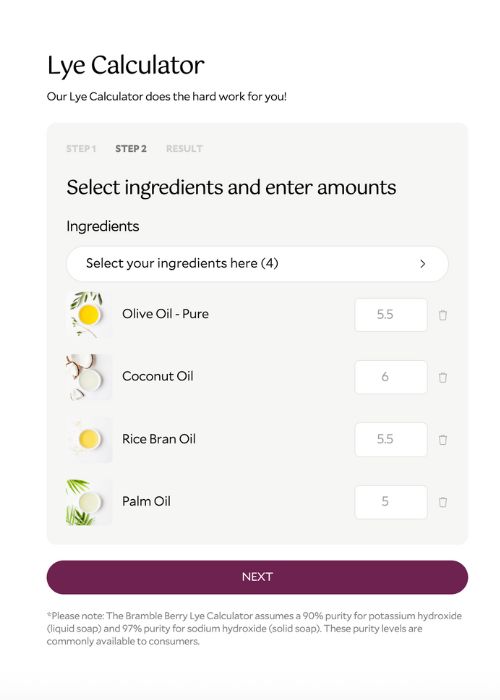
TWO: The oils are listed in alphabetical order. Find the ones you plan to use and enter the amount in the box to the left. Click “Next” at the bottom of the list.
THREE: Your recipe will appear. The lye and liquid amounts are listed at the top, followed by the ounces or grams and percentages of oils you chose.
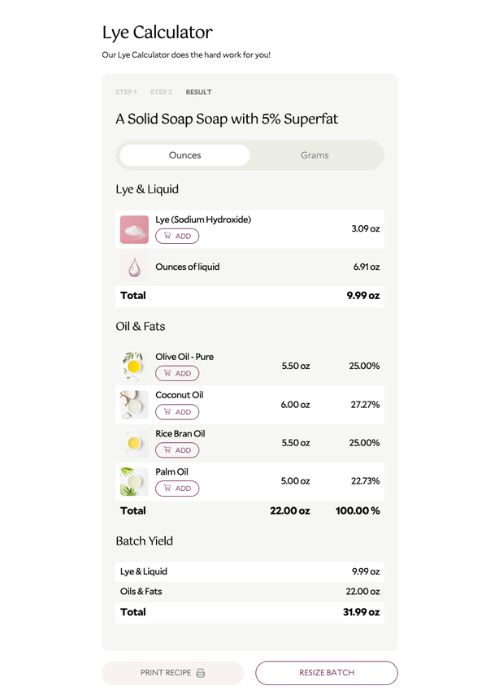
FOUR: It’s easy to edit your recipe. Click back to Step 2 if you'd like to change your oil quantities, or click "Resize Batch" to change your final batch size.
FIVE: When you're happy with your recipe, hit "print recipe" to save as a PDF and/or print.
Shop This Article